Working from home offers unparalleled freedom — no daily commute, comfortable clothes, and a customized environment. However, this flexibility is a double-edged sword. Without a structured physical setup and strict mental boundaries, the line between "work life" and "home life" blurs. You either find yourself constantly distracted by household chores, or working late into the night, leading to severe burnout.
Achieving peak remote productivity requires treating your home office with the same discipline as a physical corporate workspace. Here is your roadmap to professional deep work.

The Telecommuting Evolution: From Oil Crises to Distributed Engines
The concept of working outside a traditional office environment is not a modern luxury of the 21st century; its roots trace back to the early 1970s. During the 1973 OPEC oil embargo, aerospace engineer Jack Nilles coined the terms "telecommuting" and "telework" as a scientific framework to reduce commuting-related energy consumption. The technological landscape, however, was highly restrictive. Professionals relied on static landline networks and physical paper couriers, rendering remote collaboration slow and inefficient.
The real structural breakthrough arrived with the convergence of high-speed broadband internet, reliable cloud hosting architecture, and distributed collaboration tools in the 2010s. What began as a localized contingency plan for extreme weather or transport disruptions rapidly evolved into a global organizational strategy. By 2026, remote work has matured from a simple "home office perk" to a highly sophisticated system of geographically distributed, high-performance nodes. This shift has redefined the metrics of employee contribution, moving from visual presence in a physical office (which acted as a flawed proxy for productivity) to objective, artifact-based output and clean, asynchronous execution.
1. Separate Your Spaces: The Physical Boundary
Your brain is highly associative. If you work in bed, your brain associates that space with active, analytical thinking, leading to insomnia. If you sleep where you work, you will struggle to focus during the day.
- Designate a Dedicated Zone: Set up a specific desk and chair used *only* for work. Even if you live in a small studio apartment, dedicate a specific corner that is strictly for professional tasks.
- Ergonomics Matter: Invest in a high-quality office chair that supports your lower back and keep your computer monitor at eye level. Physical fatigue and neck strain are major, hidden drains on concentration.
- Workday "Shutdown" Routine: At the end of your shift, pack up your laptop, shut down your screen, and step away. This physical act signal to your brain that the professional day is officially closed.
The Science of High-Performance Remote Work: Cognitive Latency and Chronobiology
To master remote productivity, one must understand the underlying neurobiology and engineering principles of human attention. The human brain is not a multi-threaded parallel processor; rather, it operates as a sequential single-core CPU that relies on complex neural switching mechanisms. When these mechanisms are disrupted, efficiency drops exponentially.
1. Asynchronous vs. Synchronous Communication Mechanisms
In classical synchronous communication (meetings, rapid instant messages), the time lag between transmission and response approaches zero. While this is highly effective for urgent crisis management or high-entropy brainstorms, it carries a crippling cognitive overhead. Every time an instant message sounds its alert, it forces a context switch. A famous study by Gloria Mark at the University of California, Irvine, revealed that it takes an average of 23 minutes and 15 seconds to return to a deep work task after a single disruption.
To model this mathematically, we can express the total Interruption Cost ($C_{int}$) over a work block as:
Where λ represents the arrival rate of interruptions. If your arrival rate of notifications is high, your net productive deep-work time approaches zero, leaving you in a state of chronic cognitive fragmentation. Asynchronous communication, conversely, decouples message creation from consumption. By utilizing documentation-first strategies, structured project tracking boards, and client-side, local browser tools (like Shader7's offline receipt and resume tools), you eliminate the reliance on continuous, high-latency synchronous pings.
2. Chronobiology and Ultradian Rhythms
Peak performance is inherently tied to our internal biological clocks. The human body operates on 24-hour circadian cycles, but our cognitive endurance operates on much shorter Ultradian Rhythms. Typically, the human brain can sustain high-frequency cognitive processing for approximately 90 to 120 minutes before neural fatigue sets in. At this threshold, oxygen saturation in the prefrontal cortex declines, and adenosine begins to accumulate.
The Pomodoro Technique is a practical implementation that respects these biological cycles. By enforcing a 25-minute focus window and a 5-minute cognitive reset (or a 50-minute focus window followed by a 10-minute break for deep-flow programming), you reset your attentional capacity. The active break allows the brain to clear metabolic byproducts and consolidate information in the default mode network (DMN), facilitating creative problem-solving.
3. The Ergonomics and Kinematics of Posture
Remote productivity is not merely a mental construct; it is physical. Poor workspace kinematics degrade cognitive stamina through constant nociceptive feedback (minor pain signals sent from muscles to the brain). When sitting, the human spine experiences the highest level of intradiscal pressure in the lumbar region. A non-ergonomic setup that forces a forward-head posture (looking down at a laptop screen) increases the effective weight of the head on the cervical spine from 12 pounds at neutral to up to 60 pounds at a 60-degree tilt. This physical fatigue triggers the release of cortisol, which directly inhibits the executive function of the prefrontal cortex, leading to premature mental exhaustion.
2. High-Performance Schedule Management
Successful remote workers do not simply open their laptops and "start working." They control their day using structured scheduling frameworks:
- Time Blocking: Divide your day into dedicated time blocks for specific tasks. For example: Block 1 (9:00 - 11:00 AM) is strictly for Deep Work (no checking emails, no meetings, pure coding/design). Block 2 (11:00 AM - 12:30 PM) is for Administrative Tasks (emails, invoicing, client follow-ups).
- The Pomodoro Technique: To maintain high focus levels, work in cycles of 25 minutes of deep focus followed by a 5-minute break. After 4 cycles, take a longer 20-30 minute walk to clear your eyes.
- Asynchronous Communication: Stop responding to instant messages within 30 seconds. Constantly breaking focus to answer minor chats destroys deep concentration. Check communications in batched blocks (e.g., once every 2 hours).
Structuring Workflows: Async vs. Sync Comparative Analysis
Achieving remote work operational excellence requires a deliberate balance between async and sync communication. The table below outlines when to employ each method to minimize cognitive context-switching costs.
| Communication Mode | Primary Use Case | Response SLA | Attentional Demand |
|---|---|---|---|
| Asynchronous (Documentation, Email, Git) | Deep-focus updates, code reviews, status reporting, non-blocking inquiries. | 4 to 24 Hours | Low (Batched checking) |
| Synchronous (Standups, Instant DMs) | Blocker removals, immediate alignment, simple coordinate points. | 1 to 2 Hours | Medium (Intermittent) |
| Real-Time Sync (Video Calls, War Rooms) | Urgent incident response, strategic brainstorming, sensitive feedback. | Instantaneous | High (Interruptive) |
Weekly Productivity Metrics Dashboard
You cannot optimize what you do not measure. Use this metric framework to assess your weekly performance trends objectively:
| Key Metric | Calculation Method | Ideal Target | Corrective Action |
|---|---|---|---|
| Deep Work Ratio | (Uninterrupted focus hours / total hours) x 100 | > 45% | Block off mornings as "No Meeting Zones" in calendar. |
| Context Switch Frequency | Number of times email or chat is opened per hour | < 2 times/hr | Quit communication clients; use browser-level distraction blockers. |
| Task Completion Velocity | Planned backlog items completed vs. committed | > 85% | Deconstruct macro milestones into micro tasks (e.g. < 2 hours each). |
| Admin Efficiency | Time spent on non-billable workflows (invoicing, media compression) | < 10% of week | Leverage dedicated client-side browser utilities (Image Compressors, Receipt Makers). |
Step-by-Step Blueprints for Peak Performance
Transitioning from standard workspace paradigms to high-level remote efficiency requires actionable systems. Follow these two structured checklists to audit your workspace and optimize your workday schedule.
1 The Ultimate Ergonomic & Environmental Audit Checklist
- Optic Path & Eye Level: Adjust the top-edge of your display monitor to align precisely with your straight-ahead line of sight. Maintain a focal distance of 20 to 30 inches (approximately one arm's length) from your eyes to the screen.
- Kinematic Alignment: Keep your elbows flexed at a 90-degree angle, with your forearms resting flat on armrests or desk surfaces parallel to the floor. Your knees should also maintain a 90-degree angle with feet resting flat on the ground or a dedicated footrest.
- Lux & Light Balancing: Ensure your room's ambient illumination matches your monitor's brightness. Avoid placing screens directly in front of open windows to prevent severe back-lit glare.
- Acoustic Hygiene: Utilize active sound dampening or passive noise-canceling headsets during critical deep work blocks. Introduce low-frequency brown noise to mask distracting, ambient household sounds.
2 The 3-Tier Daily Calendar Blocking Blueprint
To implement a structured calendar, divide your working hours into three rigid zones:
- Maker Zone (3-4 Hours Daily): Scheduled during your peak circadian energy windows (typically mornings). Block off your calendar as "Busy" and activate focus filters. Zero communication tools allowed.
- Manager Zone (2-3 Hours Daily): Reserved for synchronous meetings, cross-functional alignment sessions, team standups, and cooperative pairing.
- Admin & Utility Zone (1-2 Hours Daily): Scheduled at the end of your day. Use this block to organize your bookmarks, batch-process incoming emails, update receipts, and run browser-level calculations or photo compressions using Shader7's offline suite.
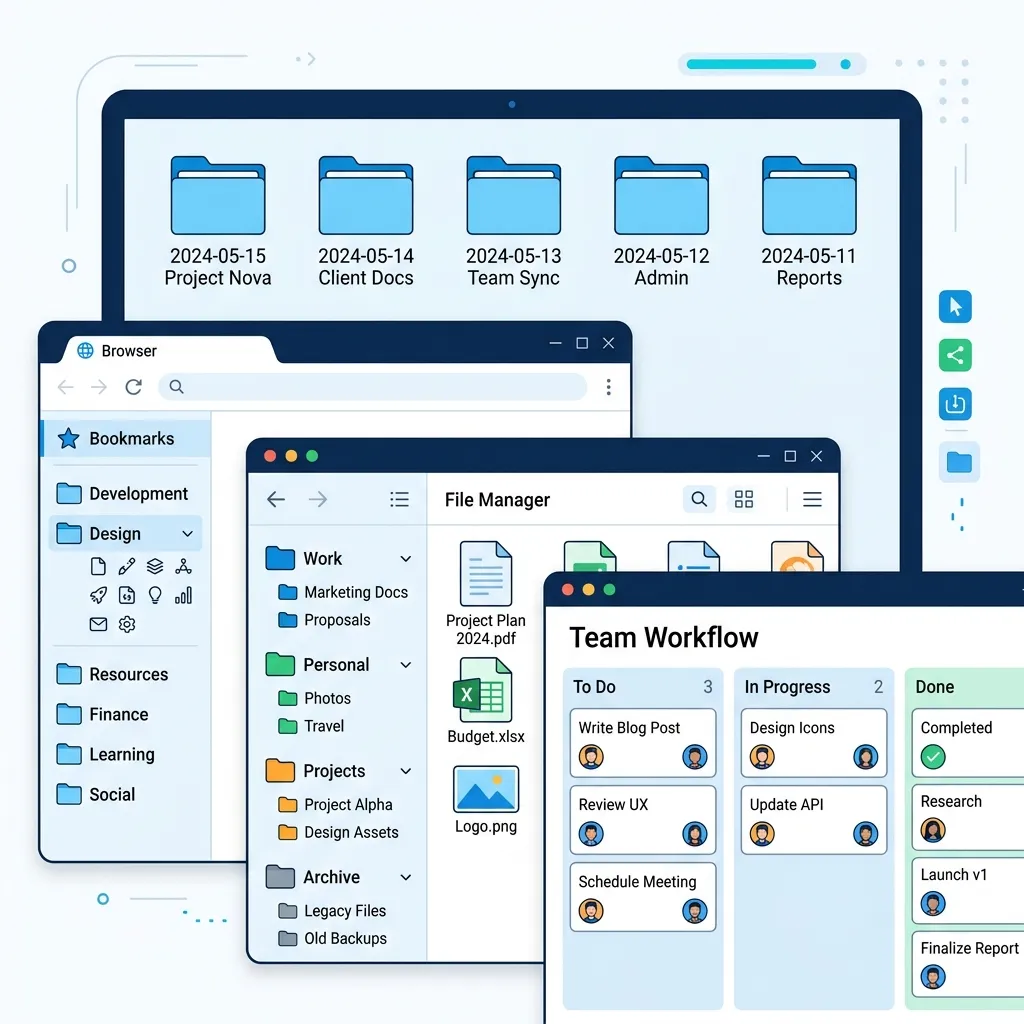
3. Creating an Online "Deep Work" Browser Setup
Your web browser is a gatekeeper for extreme focus or extreme distraction. Build a clean browser layout:
- Close Distracting Tabs: Never leave social media accounts logged in during deep focus blocks.
- Leverage Fast Web Tools: Minimize heavy software programs that slow down your computer. Utilize browser-first, privacy-focused utilities (like image compressors, resume builders, and receipt makers) to handle routine tasks instantly.
- Track Metrics: Maintain simple, structured records of your time, expenses, and invoices using local tools so you can analyze your productivity trends at the end of the month.
Frequently Asked Questions: Remote Workspace Optimization
Q1: How do I manage cross-time-zone collaboration without staying online 24/7?
Managing collaboration across diverse time zones requires transitioning from immediate ping-reply loops to high-quality asynchronous documentation. Establish clean handover protocols: at the end of your day, record a 2-minute video walkthrough or write a comprehensive markdown log outlining the current project state, potential blockers, and next immediate steps. This ensures that teammates in other hemispheres can proceed without needing real-time sync, respecting your personal boundaries and enabling true offline separation.
Q2: Is the 25-minute Pomodoro cycle suitable for long-flow work like software engineering or creative design?
While the traditional 25-minute cycle is exceptional for high-resistance tasks (like writing emails or clearing backlog tasks), it can feel disruptive for deep development or artistic work that requires entering a deep flow state. In these cases, adopt the "Double Pomodoro" or "Flow-Time" strategy: execute focus blocks of 50 or 60 minutes, followed by a 10-minute rest. The core principle is not the exact duration, but the clean boundary between focused execution and complete biological relaxation.
Q3: How do I handle roommates or family members crossing my physical workspace boundaries?
Establishing spatial priming and visual signals is essential. Use explicit, objective cues to indicate your current availability. For example, a simple, red-light/green-light LED on your door, or wearing physical noise-canceling headphones can serve as passive signals that you are in a "deep work block." Additionally, sit down with your household and establish clear working hours, explaining that physical presence in your dedicated workspace is equivalent to being out of the house.
Q4: Why are local, browser-first tools superior to heavy desktop software for remote work?
Local, client-side browser tools—such as Shader7's image compressors and receipt generators—are superior for three reasons: privacy, speed, and hardware utilization. Unlike traditional cloud services that upload your personal PDF records or confidential images to external servers (exposing you to potential data leaks), local web apps process your data directly in your browser's RAM using JavaScript WebAssembly. This means zero files leave your machine, processing is nearly instantaneous, and you avoid background process bloat that drains your computer's resources.
Boost Your Remote Freelance Operations
Shader7 offers an essential toolkit of free, client-side web apps designed specifically for independent freelancers and modern remote workers. Generate professional resumes, compile billing receipts, compress project media, and split group trip expenses securely in your browser.
View All Free Tools →