Modeler Pro

Back
File
Add Features
History
Display
📐

Select an item from the Feature Tree or 3D viewport to inspect and edit its properties.

X: 0.00 mm
Y: 0.00 mm
Z: 0.00 mm
Selected: None
Vertices: 0 | Polygons: 0

The Evolution of Browser-Based 3D CAD

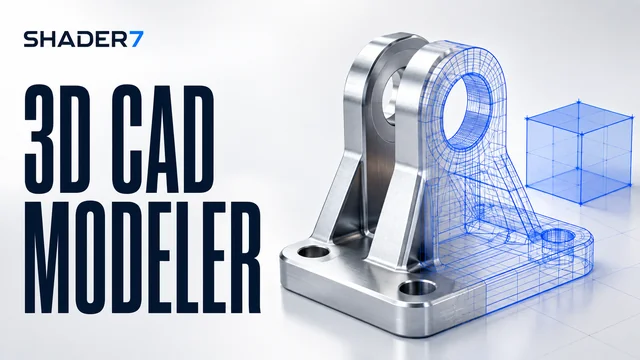
Traditionally, computer-aided design (CAD) required powerful workstation computers, local software installations, and complex licensing. Modern browser-based 3D CAD systems utilize WebGL APIs and high-performance rendering engines (such as Three.js) to compile and render complex mechanical solids in real time, directly inside lightweight mobile and desktop web browsers.

The mathematical and computational mechanics running behind this WebGL app are:

Step-by-Step Browser Modeling Workflow

  1. Initialize the Viewport: Rotate and pan the canvas to set up your primary design grid plane.
  2. Establish Basic Primitives: Add basic solid bodies (such as cubes, cylinders, or spheres) to represent your raw stock dimensions.
  3. Apply Geometric Transforms: Adjust dimensions, scale factors, and position vectors to layout profiles.
  4. Surfacing & Inspection: Switch between perspective view (for realistic spatial layout) and orthographic projection (for precise blueprint dimensional check).
  5. Exporting Data: Convert and export your geometric coordinate outputs (such as DXF or SVG profiles) to bridge the gap into CAM setups.

Three.js WebGL Spatial Visualization for Machinists

For modern machinists, spatial visualization is a critical shop-floor skill. Being able to rotate and inspect a 3D digital mockup helps identify complex tooling clearances, setup constraints, and fixtures before setting up physical materials on workpiece clamps. This WebGL utility provides a sandboxed space to rotate, zoom, and inspect mechanical shapes without leaving your browser.

WebGL 3D CAD Frequently Asked Questions (FAQ)

Q: What is the difference between orthographic and perspective views?
A: Perspective view mimics human vision, where objects appear smaller the further they are from the camera. Orthographic view represents a parallel projection, where physical dimensions remain perfectly scaled regardless of distance, making it essential for engineering blueprint layouts.

Q: Why does my browser lag when loading large mechanical solid assemblies?
A: Browser CAD performance depends directly on your device's graphic processing unit (GPU). Mechanical models with hundreds of complex faces require millions of vertex calculations per second.

Q: Can I generate direct G-code paths from this WebGL model?
A: This application acts as a CAD visualization tool. To generate G-code paths, you must export the boundary drawing coordinates (such as a 2D DXF boundary) and load it into a CAM post-processor tool (or use our Circular Interpolation and Chamfer generators).

Want to master constructive solid geometry, WebGL rendering vectors, and modern CAD-to-CAM pipelines?

Read the Ultimate 3D CAD Web App Guide (5,000+ Words) →